

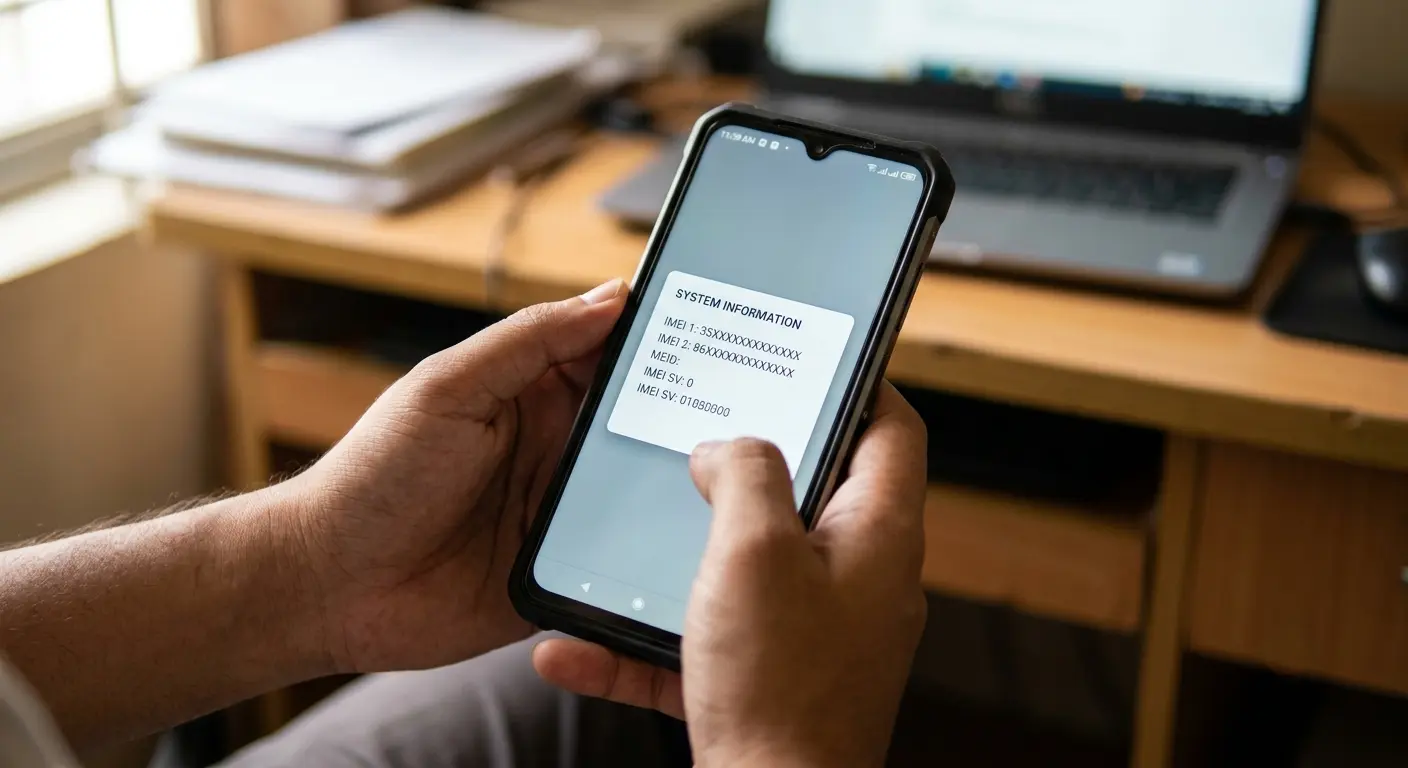
Let me start with a familiar story. Someone buys a secondhand phone at a great price, online or from an acquaintance. That phone looks spotless, flawless to eyes, its price cheap as water. Returning home happily, they slide a SIM in, then their heart sinks. No network shows on that phone, no calls go out, no messages either. Only Wi-Fi works. This nightmare carries a name, a blacklisted phone, plus its one shield is an IMEI check.
So what is this IMEI thing? Its full name is International Mobile Equipment Identity. It's a 15-digit code, handed to every phone separately during factory manufacturing. Think of it as a phone's permanent fingerprint or a car's chassis number. Swap SIMs, reset a phone, update software, this number never changes. Core point is this, a SIM card identifies a person, while IMEI identifies that phone. So since a SIM can move from one phone to another, identifying a phone needed this separate permanent identity.
Finding your own phone's IMEI is easy as water. Go to your phone's dial pad, type *#06# just like a phone number, that number floats up on screen instantly. No app needed, no internet either. This code works on every phone on this planet, from priciest smartphone to oldest button phone. Beyond that, on iPhone you find it through Settings then General then About, on Android through Settings then About Phone. Dual-SIM phones carry both IMEI 1 plus IMEI 2. On some older phones, that number stays printed on a SIM tray or on a phone's box too.
Now comes most vital part, blacklist. Why does a phone get blacklisted? Mainly for three reasons. First, when a real owner reports a phone lost or stolen, its carrier blocks that IMEI, so a thief cannot use or sell it. Second, when installment money on a phone stays unpaid. Third, phones swapped through insurance claims. Once an IMEI lands on a blacklist, that phone stops working on any mobile network, even with a new SIM. It runs on Wi-Fi alone, that's it.
Know what's most frightening about it? A stolen phone can run fine for a few days or a few weeks, then suddenly turn useless after getting blacklisted. Meaning you buy today, seller reports tomorrow, that phone in your hand could die day after. This is exactly why checking before buying matters so much.
So what should you do before buying a secondhand phone? Ask your seller to press *#06# giving you that IMEI number, before even meeting. Then place that number into a trusted online IMEI checker site, seeing its blacklist status. Cross-check whether a phone's IMEI matches paperwork provided by your seller. For a dual-SIM phone, always check using IMEI 1, because that stays main number in a carrier's records. Remember one simple rule too, if a seller stalls or refuses to give an IMEI, don't buy that phone. An honest seller has nothing to hide.
But receiving a "clean" result shouldn't make you fully carefree, that truth deserves mention too. Clean means only that a phone hasn't been blocked until now. After selling, an owner can file a report any day, then that status changes. So alongside checking, buying from a trusted place plus taking a proper receipt matters equally.
What if you unfortunately buy a blacklisted phone already? Plainly put, you cannot fix this yourself. Only that carrier who reported it first, or its real owner, can remove that name from this list, needing proof of ownership including that original purchase receipt.
Let me say this final word from my heart. Before buying a phone, this tiny task of merely a few seconds can save you from thousands lost, headaches, plus regret. Type *#06#, check that number, that's all. Pain lasts a minute, peace lasts many days. So next time you go buying a secondhand phone, before haggling over price, take one look at that IMEI, brother.
No comments yet. Be the first to comment.