
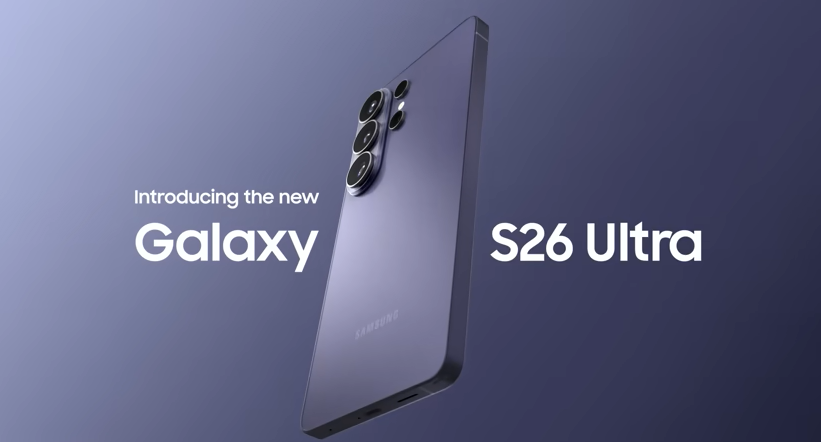
The Samsung Galaxy S26 launched with a lot of upgrades. One stood out above the rest is the Privacy Display. It's the first hardware-level privacy screen built into a smartphone. No app to open. No protector to buy. Just a screen that knows when someone's peeking.
However, I spent two weeks using it as my main phone on the train, in coffee shops, at a shared desk, specifically to see if this feature holds up outside of a spec sheet. Here's what I found, plus how it actually works and whether it's worth caring about.
How Does the Privacy Display Work?
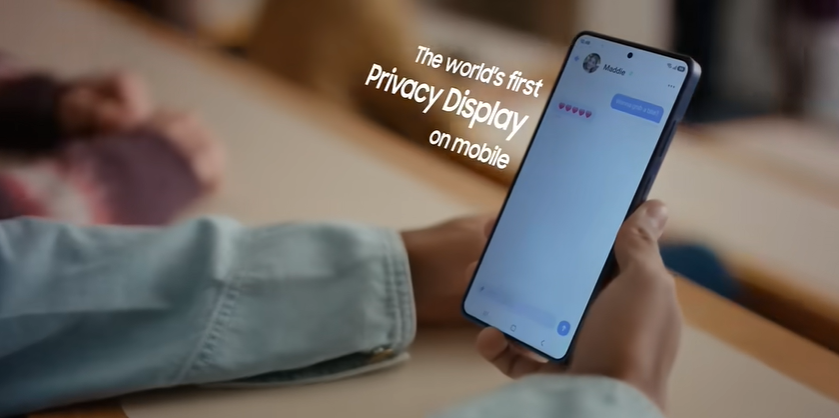
Privacy Display dims and blurs the screen the moment someone views it from an angle. You, looking straight on, see everything clearly. Anyone glancing from the side sees a blur.
The first time I noticed it working was on my morning train commute. Someone sat down next to me, glanced over out of habit, and I watched their eyes just slide off my screen. No obvious flicker, no visible mode switching. It just looked like a normal screen to me and a smudge to them.
Therefore, that's a real shift from how phone privacy has worked until now. Privacy screen protectors are an add-on. You buy one, apply it, and live with a dimmer screen all the time, whether you need privacy or not. I used one on a previous phone for about a year, and the difference here is night and day.
Samsung built this into the display hardware itself. No filter. No software layer. Just the panel.
Customizable Privacy Settings
This isn't all-or-nothing. You can turn it on manually. I started doing this reflexively before opening my banking app in public. Or leave it on automatic, where it activates for specific triggers:
Entering a password or PIN
Opening banking apps
Reading notifications
Unlocking the phone in public
I dug into the settings menu and found a straightforward toggle list for which apps trigger it automatically. However, I turned it on for my banking and messaging apps and left everything else alone, running it constantly felt unnecessary at home. And I noticed a very slight dimming effect when it's active, so I didn't want it on 24/7 for no reason.
Samsung S26 Ultra Privacy Display: Key Features
Below are the key features I really appreciate about the Galaxy S26 Privacy Display:
➤ Brightness trade-off: The screen dims slightly for you too when active. I noticed it. But only because I was looking for it in normal use, it wasn't something I'd have picked up on.➤ Battery impact: I didn't see any meaningful difference in my daily battery life with the feature enabled for a handful of apps versus disabled entirely.
➤ Case compatibility: I used it with a standard clear case the whole time with zero issues, since the effect happens inside the display, not on the surface.
➤ No predecessor: This is genuinely new. I've used every Galaxy Ultra since the S21, and nothing on past models comes close.
Why Samsung Added This Now
Visual privacy is a growing concern. More people work from cafes, commute with phones out, and handle sensitive info in public. Shoulder surfing, someone glancing at your screen is a real risk. And it's one I've personally gotten more paranoid about since I started working from co-working spaces a couple years ago.
However, Samsung has pushed privacy messaging for years through Knox. Privacy Display extends that same idea to the screen itself.
It's also a competitive move. As of this testing, no other flagship, not Apple, not Google has anything like it. For now, it's a feature only Samsung can claim, and after using it daily, it's the first new phone feature in a while that I actually reached for on purpose.
Privacy Display vs Screen Protectors
Feature
Privacy Display (Built-In)
Privacy Screen Protector
Cost
Included
$20–$40 extra
Setup
None
Manual application
On/off control
Toggle or automatic
Always on
Clarity when off
Full
Reduced at all times
Removable
No, built-in
Yes
The biggest advantage, based on switching between the two, is flexibility. A protector is stuck on, dimming the screen even when privacy doesn't matter. Samsung's version only kicks in when I actually need it which in practice was more often than I expected.
Samsung S26 Privacy Display: Frequently Asked Questions
What is the Samsung Galaxy S26 Ultra Privacy Display?
A built-in screen technology that dims and blurs the display when viewed from an angle, staying clear only for the person looking straight at it.
Does it affect battery life?
In two weeks of daily testing, no noticeable impact. It's built into the display panel, not a separate power drain.
Can I turn it on and off?
Yes. It can be triggered manually or set to activate automatically for specific apps and actions, like entering a password.
Should You Buy It for This Feature Alone
If you view sensitive info in public, often commuting, shared workspaces, travel, this solves a real problem. And it solved one for me faster than I expected to notice.
So, if you mostly use your phone at home, it's a nice-to-have, not a reason to upgrade on its own. In that case, the camera, chipset, and battery probably matter more to your decision.
For the full picture, check out our complete Galaxy S26 guide covering specs, pricing, and how it compares across the lineup.
Samsung S26 Ultra Privacy Display: How It Works

 Credit:Samsung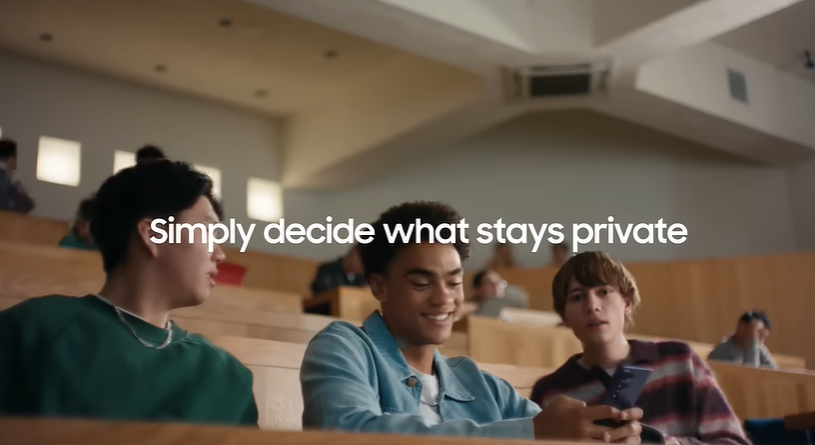
No comments yet. Be the first to comment.